
Native Desktop App for macOS & Windows Agency Teams
Run Collabix Closer to Where Your Team Actually Works With a Cross-Platform Desktop Applications
The Collabix desktop app brings project-connected tracking and operational access to macOS and Windows so team members can work without depending entirely on a browser.
Built around a Rust and Electron architecture, the current Collabix desktop experience is positioned around fast performance, tray quick-actions, and offline resilience.

Why top digital agencies rely on Desktop App
Built from the ground up to eliminate administrative friction.
Real-Time Visibility
Keep all team members and clients synced on deliverable progress without endless status meetings.
Automated Verification
Ensure accurate billing and proof of work with high-resolution activity captures and audit trails.
Enterprise Security
SOC 2 compliant data storage, role-based access control, and granular client guest permissions.
Trusted by High-Velocity Agencies
Collabix for macOS
Collabix provides a desktop experience for macOS so agency team members can keep project and time-tracking workflows close to their normal working environment.
The desktop application can be particularly useful for:
Developers
Designers
Project teams
Remote employees
Account teams
Contractors
Distributed agencies
For the latest installer availability, visit the Collabix desktop download page.
Teams primarily interested in time tracking can also explore the desktop time tracker.
Collabix for Windows
Windows users can also run Collabix through the dedicated desktop application.
This makes the platform suitable for agencies with mixed-device environments where different employees may use macOS or Windows depending on their role.
A cross-platform desktop workflow can help standardize how teams access project-connected tracking even when their hardware differs.
Download Collabix for Windows:
Desktop App Downloads
Built With Rust & Electron
The current Collabix page explicitly describes the desktop application as using a Rust & Electron powered architecture.
This positioning reflects a focus on combining a desktop interface with native system capabilities.
For agency teams, the technical architecture matters less than the result: the desktop application should remain responsive while supporting operational workflows that need closer integration with the user's computer.
Exact architecture details should continue to be maintained by the Collabix engineering team as the desktop product evolves.
Keep Time Tracking Close to the Desktop
Time tracking becomes harder to maintain when employees need to repeatedly navigate back to a browser just to start or stop work.
Collabix provides desktop time tracking, allowing teams to connect tracked working time with agency projects and tasks.
Desktop tracking can support:
Billable project work
Client retainers
Development sessions
Creative production
Internal work
Remote teams
The goal is to reduce the friction between doing the work and recording the work.
Connect Desktop Tracking With Project Tasks
A timer is more valuable when the agency understands what the time relates to.
Collabix provides tasks and subtasks, giving tracked work clearer project context.
This can help managers understand:
Which project consumed the time
Which responsibility was being worked on
How long certain work required
Whether estimates reflect actual delivery
Where agency resources are being used
Connecting project structure with desktop tracking creates more useful operational information than maintaining a standalone timesheet system.
Review Activity in the Work Diary
Collabix provides a work diary that helps teams review recorded work in a more structured timeline.
The work diary can add context around:
Tracked periods
Project activity
Daily work
Billable sessions
Client delivery
This is particularly relevant for remote and distributed agency teams where managers may need additional context without relying only on manual status updates.
Automated Screenshots When Required
Some agency workflows require additional evidence alongside recorded time.
Collabix provides automated screenshots and activity tracking, allowing teams to add proof-of-work context where appropriate.
Screenshot workflows may be useful for:
Remote teams
Hourly client projects
Development retainers
Contractors
Staff augmentation
Auditable delivery requirements
Agencies that need stronger verification can also explore proof-of-work audits.
Screenshots should support accountability rather than serve as the sole measurement of employee performance.
Detect Idle Sessions
A running timer does not always mean active work is continuing.
Collabix provides idle detection, helping agencies identify sessions where a user may have stepped away or forgotten to stop tracking.
Idle detection can reduce inaccurate time records and help teams spend less time correcting timesheets manually.
This is especially useful when desktop tracking runs throughout long working sessions.
Monitor Active Time & Overtime
Desktop activity can also connect with active time and overtime tracking.
This gives operations managers additional context around extended working patterns.
Repeated overtime may indicate:
Heavy workload
Unrealistic deadlines
Scope expansion
Understaffing
Sprint overcommitment
Resource bottlenecks
The desktop app can therefore contribute data to broader agency capacity and workload decisions rather than functioning only as a timer.
Use Tray Quick-Actions
The current Collabix desktop page explicitly highlights tray quick-actions.
System-tray or menu-bar access can reduce unnecessary navigation by keeping common desktop actions closer to the user's working environment.
This is particularly useful for tracking workflows where users may need quick access throughout the day.
The exact quick actions available should remain aligned with the current desktop build.
Work With Offline Resilience
The current page also positions the desktop application around offline resilience.
Offline resilience is useful for team members who may temporarily lose network access while working.
A resilient desktop experience should help prevent short connectivity interruptions from completely disrupting normal use.
However, the exact behavior—such as what data remains available offline, what actions can be performed, and how synchronization occurs after reconnection—should be documented according to the current application implementation.
Support Remote & Distributed Teams
Desktop applications are especially relevant for teams working across locations.
Collabix combines desktop workflows with:
Together, these features provide managers with broader operational context without requiring everyone to work from the same physical location.
Built for Development Teams
Development agencies are one of the clearest use cases for desktop workflows.
Developers often spend most of their day inside editors, terminals, browsers, and development environments.
A desktop application can keep tracking and agency operations closer to that environment.
Software teams can explore software development agency management and engineering operations for tech leads.
Connect Desktop Work With Team Capacity
Tracked working time becomes more useful when agencies can compare it with available team capacity.
Collabix provides team capacity planning so managers can understand whether current project commitments are sustainable.
Desktop time data can provide additional context when capacity planning shows that certain team members are heavily allocated.
This can help identify where workload should be redistributed.
Review Utilization
Collabix provides member utilization tracking, helping agency leaders understand how available capacity is being used.
Desktop-recorded time can contribute useful information when reviewing billable and non-billable utilization.
Utilization should still be interpreted carefully.
More tracked time does not automatically mean better performance.
Managers should consider project outcomes, workload, responsibilities, and quality alongside time data.
Protect Desktop Application Data
A desktop application handling project and work information needs appropriate security controls.
For the wider platform security approach, review Collabix Security & Privacy.
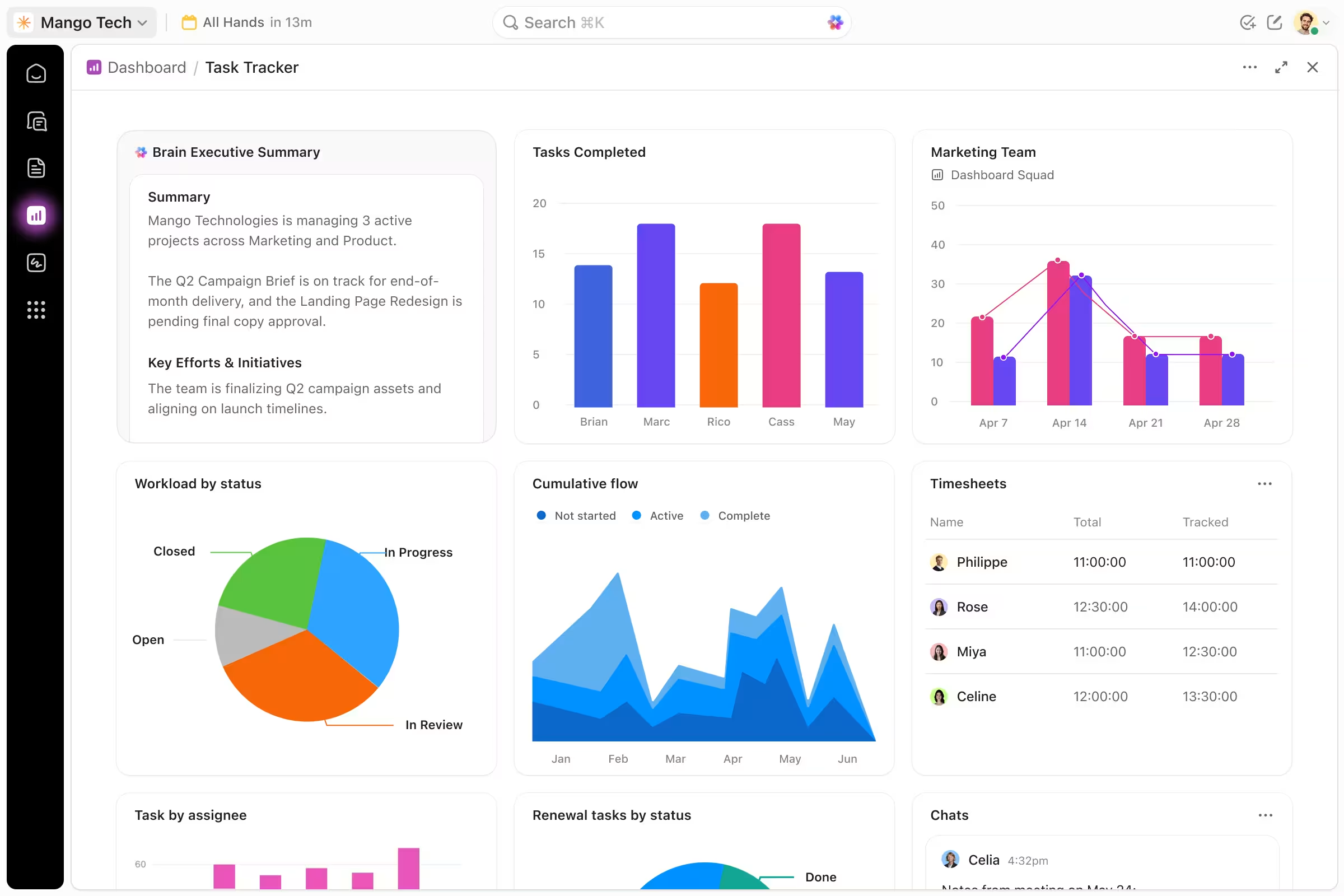
The screenshot also presents the desktop product as using native system-oriented capabilities, but technical claims around credential storage, local encryption, sandboxing, or offline data storage should only be published when confirmed by the Collabix engineering/security team.
Keep the Desktop App Updated
The current page's FAQ asks whether the Collabix desktop application updates automatically.
Automatic updating can reduce maintenance for agencies managing the application across several employees.
However, the exact update mechanism, release controls, restart behavior, and enterprise deployment options should be confirmed with the product team before publishing a detailed technical guarantee.
Deploy the App Across Agency Teams
The existing FAQ also asks whether administrators can deploy the desktop application using DMG/MSI installers.
Centralized deployment may be important for larger agencies that manage many employee devices.
Potential deployment requirements can include:
macOS DMG distribution
Windows MSI deployment
Managed-device installation
Version management
Administrative permissions
The exact supported deployment methods should be confirmed against the current Collabix installer and IT-management process.
Support Apple Silicon & Intel Macs
The current desktop FAQ explicitly references support for macOS Apple Silicon and Intel.
Because processor compatibility can change between releases, the live page should list only architectures currently supported by the downloadable build.
The download page should remain the authoritative source for current installer compatibility.
Desktop App vs. Web App
The web and desktop experiences serve different workflow needs.
The web platform is useful for broader agency management, planning, reporting, client collaboration, and project oversight.
The desktop application is more relevant to workflows that benefit from closer integration with the user's computer, particularly time tracking and work activity.
Agencies can use both experiences as part of the same Collabix operating environment rather than treating them as separate systems.
One Desktop Workflow Connected to Agency Operations
The value of the Collabix desktop app is not just that it runs outside the browser.
It connects desktop work with the wider agency operating system.
That includes:
Projects
Tasks
Time
Work diaries
Activity
Capacity
Workload
Utilization
Reporting
This gives agency teams a more connected way to understand how desktop work contributes to client delivery.
Bring Collabix to Your Desktop
Connect project work, time tracking, work activity, and agency operations through the Collabix desktop application for macOS and Windows. Keep tracking closer to your team's daily workflow while maintaining project context across the wider Collabix platform.
Frequently Asked Questions
Everything you need to know about this service.
The Collabix desktop app is a cross-platform application designed to connect desktop-based agency workflows with Collabix project and operational functionality.
The current desktop page includes macOS support and specifically references Apple Silicon and Intel Macs in its FAQ section. Current installer compatibility should be verified on the download page.
Yes. The current desktop positioning covers Mac and Windows workflows.
The current page describes the application as using a Rust & Electron powered architecture.
The current product page explicitly highlights offline resilience. Exact offline capabilities and synchronization behavior should be confirmed against the current build.
Yes. Tray quick-actions are explicitly highlighted on the current desktop page. The available actions should match the current application version.
The current FAQ raises DMG/MSI deployment specifically. The exact supported enterprise deployment method should be verified with the Collabix developer before publishing a definitive answer.
The current FAQ specifically asks about automatic updates, but the screenshot does not provide the detailed answer. Confirm the update behavior with the product team before publishing it as a guaranteed capability.
Collabix provides a dedicated desktop time tracker connected with wider agency project workflows.